Functionalities
On this page, we quickly review the different functionalities of qosst-bob, but they are fully explained in the “understanding” section.
Bob client
Alice is acting as a server and hence, Bob is acting as client. The format of the control protocol is based on the following principle: Bob send a message and Alice answers. For this reason, a class was implemented to represent Bob: qosst_bob.bob.Bob, which is mainly sending messages to Alice, interacting with the hardware and calling other functions as the one for the DSP or the one for parameters estimation.
Bob client is the starting point of every thing in Bob as it is the link between every function and the backbone of the GUI and the scripts.
Using Bob client is quite straightforward as shown in the following example:
from qosst_bob.bob import Bob

bob = Bob("config.toml")

# Initialize the hardware
bob.open_hardware()

# Load the data of the electronic noise samples
bob.load_electronic_noise_data()

# Connect to Alice
bob.connect()

# Identification and authentication process
bob.identification()

# Start a new CV-QKD frame
bob.initialization()

# Acquire the data of the shot noise samples
bob.get_electronic_shot_noise_data()

# Proceed to the quantum information exchange
bob.dsp()

# Make the parameters estimation
bob.parameters_estimation()

print(bob.skr)

# Close bob
bob.close()
More details on the client can be found here.
Bob DSP
Bob DSP is probably the most important code of the Bob package as it provides a way to process the data that was acquired by the hardware, and using the parameters in the configuration file, will output the recovered symbols.
The DSP is a complex bit of code that performs:
Frame synchronisation;
Clock recovery;
Carrier frequency recovery;
Frequency unshift;
Match filtering;
Optimal downsampling;
Relative and global phase correction.
The DSP is explained more in details here.
GUI
The Graphical User Interface (GUI) of Bob is one of the ways to use Bob client. It provides an easy to use interface to perform the different steps of CV-QKD. Under the hood it mainly uses the same call as above, but also gets the information from Bob client to be able to plot them.
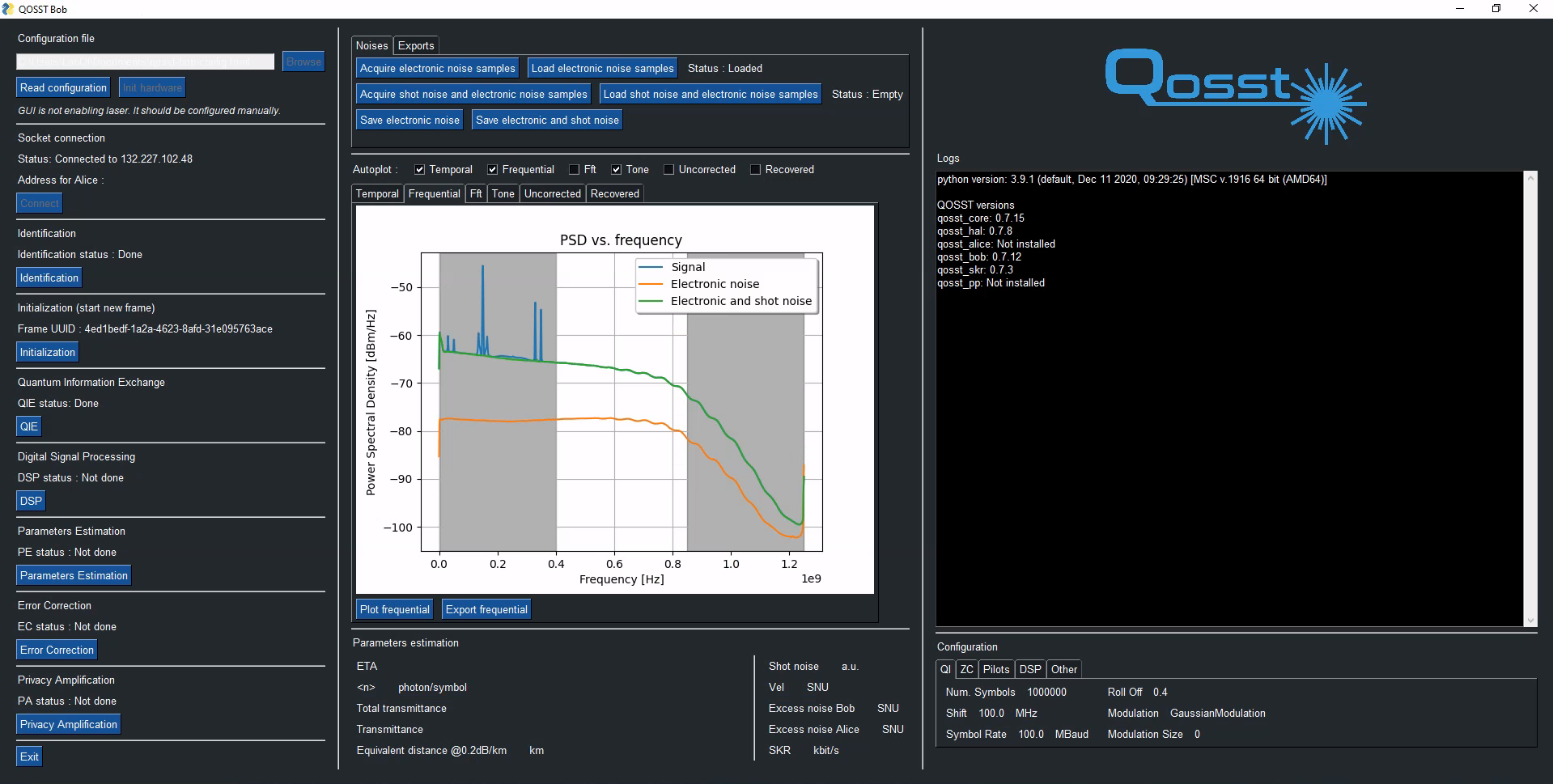
Image of the GUI
More information on the GUI can be found here.
Parameters estimatiom
The parameters estimation step corresponds to the action of taking Bob symbols, along with other information such as the electronic equivalent symbols, the electronic and shot noise equivalent symbols, Alice photon number, and a portion of Alice symbol and estimate the required parameters to estimation the key rate. In the case of Gaussian modulation, one has to estimation the transmittance \(T\) and the excess noise \(\xi\) of the channel, which is done by the code in the parameters estimation module.
The estimation of the parameters is explained in more details here.
Scripts
The other way to use Bob client is through already programmed scripts. There are mainly 3 scripts that are described below:
excess_noisethat can be called through theqosst-bob-excess-noisecommand will repeat the quantum information exchange, DSP, and parameters estimation steps a certain number of time that is given in as a parameter through the command line. The output of this script is basically the list of the excess noises;transmittancethat can be called through theqosst-bob-transmittancecommand will change the applied voltage on a VOA to emulate a channel and repeat the frame exchange a certain number of times given in parameter for each attenuation. This script is therefore able to test the exchange at several distances. The output of this script is basically the excess noise and the estimated distance for each attenuation;optimizethat can be called through theqosst-bob-optimizecommand will repeat the exchange of frames a certain number of times, and then will change one parameter in the configuration file of Alice and Bob. This parameter can be chosen from an established list. The output of this list is basically the excess noise and the value of the parameter of each frame. This script can be used to find the most suitable parameter for a given setting.
The documentation of the scripts can be found here and more information can be found here.